Operating conditions
The Navigation-based Smart Cruise Control (NSCC) system in your Kia Carnival is designed to activate automatically
and provide enhanced driving assistance when all of the following criteria are met:
 NOTICE
For comprehensive instructions on the foundational operation and setup of your Kia Carnival Smart Cruise Control,
please refer to the "More Details" section of your vehicle owner's manual.
Navigation-based Smart Cruise Control display and control

When the Navigation-based Smart Cruise Control is actively monitoring road conditions and assisting with speed
management, the status will be clearly displayed on your Kia Carnival instrument cluster as follows:
Navigation-based Smart Cruise Control standby
Once all operational conditions are successfully met and the system is ready to assist, a green indicator ( ) will appear on the display.
Navigation-based Smart Cruise Control operating
During moments when the Kia Carnival is actively modulating your speed based on navigation data (such as curves or
speed changes), the green indicator ( ) will blink to confirm the system is in control.
Navigation-based Smart Cruise Control pause/driver operation
If the system is forced into a pause state—due to navigation rerouting or if the vehicle enters a road segment where
NSCC is unsupported—a gray indicator ( ) will appear.
If you choose to override the system by depressing the accelerator pedal, a white indicator ( ) will blink on the Kia Carnival instrument cluster to alert
you that you have temporarily taken command.
) will blink on the Kia Carnival instrument cluster to alert
you that you have temporarily taken command.
 WARNING
A warning message will be presented on the Kia Carnival display under the following critical circumstances:
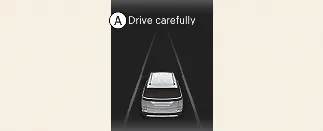
A: Drive carefully
 NOTICE
Please be aware that the specific visual icons, animations, and color schemes displayed on your Kia Carnival
instrument cluster may vary based on your selected cluster type, digital theme, or vehicle software version.
Highway Curve Zone Auto Slowdown
To ensure maximum stability, the Kia Carnival will automatically analyze upcoming highway curves. If your speed is
too high, the vehicle will decelerate appropriately before the curve and, upon exiting the curve, will smoothly
accelerate back to your previously programmed Smart Cruise Control set speed.
 NOTICE
The precise point at which the Kia Carnival initiates deceleration is dynamic; it is calculated based on your current
driving velocity and the severity of the road's curvature. Generally, the higher your driving speed, the earlier the
vehicle will begin to decelerate to ensure a comfortable and safe passage through the curve.
