

Kia Carnival Reference Library

Kia Carnival: Infotainment system / Using the infotainment/climate switchable controller

Kia Carnival (KA4) 2022-2026 Owner's Manual / Features of your vehicle / Infotainment system / Using the infotainment/climate switchable controller

Switchable infotainment and climate controller interface in Kia Carnival

The Kia Carnival features a versatile switchable controller that allows you to toggle between infotainment system controls and climate management settings. Simply press the mode button to switch panels. To customize your experience, press and hold the button to designate a specific control panel as the default mode.

Switching between panels

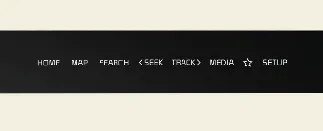
Infotainment control panel

Kia Carnival infotainment control panel display mode

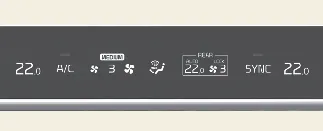
Climate control panel

Kia Carnival climate control panel interface mode

Press the mode button on the controller to cycle between panels. The icon corresponding to the active control panel will illuminate, indicating which system is currently under your command.

  • The knob display dynamically changes illumination to reflect the currently active control panel mode.
  • When the vehicle ignition is in the ACC position, only the infotainment system will be available for operation.

Setting the default mode

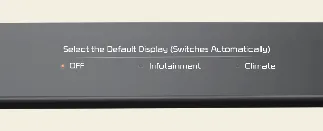
Setting the default controller mode in Kia Carnival

You can set a preferred default control panel by pressing and holding the switch button. After configuring this, the system will automatically revert to your chosen default mode after a period of inactivity, even if you have temporarily switched to another mode. If you set the default to 'OFF', the system will simply display the mode last used.