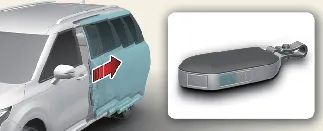
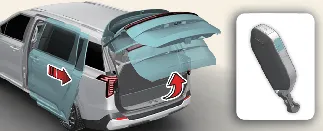
With the engine running, you can customize this feature via your Kia Carnival infotainment system:
Navigate to Setup → Vehicle → Door → Remote Power Doors & Liftgate. From here, you can select
"Open Liftgate & Sliding Doors" or "Open Sliding Doors" to enable the function, or deselect these options to disable
them based on your preference.
To operate remotely, press and hold the unlock button ( ) on your smart key for approximately 3 seconds.
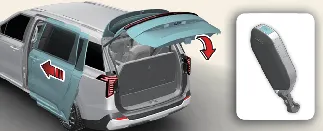
To close the active power doors and liftgate, press and hold the lock button ( ) on the smart key for approximately 3 seconds.
 WARNING
Before using remote power features, always visually confirm that there are no people, pets, or objects in the
immediate vicinity of the sliding doors or liftgate to prevent accidents.
 NOTICE
-
If your Kia Carnival includes the remote window control feature, the driver and passenger side
windows may lower simultaneously when using remote commands.
-
You can manage this in the infotainment settings under Setup → Vehicle → Door → Remote Window
Control.
 NOTICE
Infotainment interfaces may evolve following system software updates. Please refer to the digital user's manual
provided within your Kia Carnival or consult the latest quick reference guide for your specific
model year.