Your Kia Carnival is equipped with an innovative switchable control panel that allows you to manage
both the infotainment system and climate settings using the same physical interface. This space-saving design ensures
a clutter-free dashboard while keeping essential controls within easy reach.

Simply press the main button on the controller to toggle between the Infotainment and Climate Control modes. To
define your preferred starting point, press and hold the button to select the default control panel mode that
activates upon starting your Kia Carnival.
Switching between panels
Infotainment control panel: 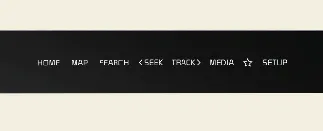
Climate control panel: 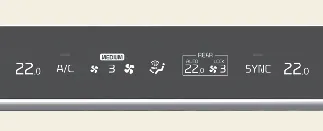
When you press the button, the system will highlight the selected icon on the display, and the controller knobs will
instantly update their function. The knob display will illuminate in a specific color or style corresponding to the
active mode, providing visual confirmation of your selection. Note that when the vehicle is in ACC (Accessory) mode,
only the infotainment system is enabled to conserve battery power.
Setting the default mode
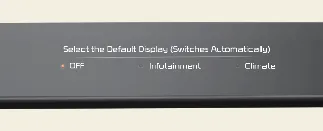
To personalize your experience, press and hold the toggle button to access the settings menu. You can choose which
panel remains active by default. Once configured, if you manually switch modes, the system will automatically revert
to your chosen default mode after a preset period of inactivity. If you set the preference to 'OFF', the system will
simply retain the most recently used mode.
