

Kia Carnival Reference Library

Kia Carnival: Automatic climate control system (if equipped) / Using the infotainment/climate switchable controller

The Kia Carnival utilizes a versatile switchable controller, allowing you to toggle between the infotainment system and climate settings using one unified interface.

Multi-function switchable controller for Kia Carnival dashboard

Press the button to toggle modes; press and hold to establish your preferred default control panel mode.

Switching between panels

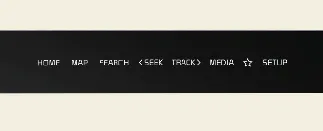
Infotainment panel: Infotainment mode icon on Kia Carnival controller

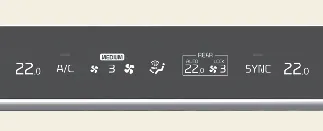
Climate control panel: Climate mode icon on Kia Carnival controller

When switching modes, the controller's knob display illuminates to match the active panel's color scheme, ensuring intuitive use. Please note that when the vehicle is in ACC mode, only the infotainment system functionality is enabled.

Setting the default mode

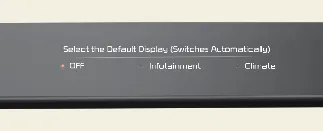
Configuration menu for setting default controller mode in Kia Carnival

To personalize your driving experience, press and hold the mode toggle button to select your preferred default operating mode for the Kia Carnival control panel.

  • Once configured, the control panel will prioritize your chosen default mode, reverting to it automatically after a set period of inactivity, even if you have temporarily switched to another function.
  • If the default mode is set to 'OFF', the system will simply default to the display state of the most recently used function upon startup.